Delivery management

Restaurant delivery with your own drivers, without manual chaos.

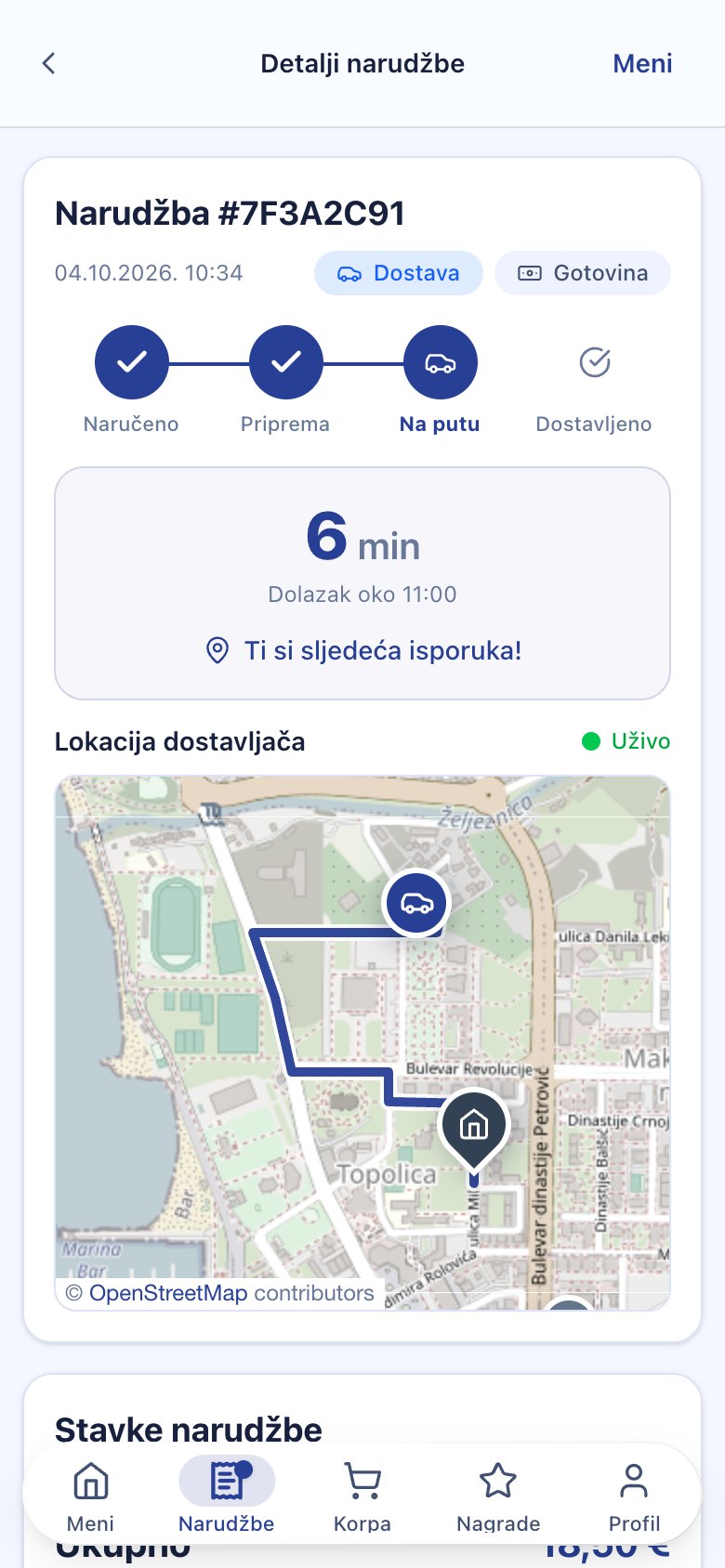
MenuGO helps online and phone orders enter one workflow, groups compatible deliveries into batches and shows managers active drivers, stops, routes and ETA in real time.

Live map

Managers see active drivers, routes, stops and ETA.

Delivery batches

Compatible orders can become one route with a clear stop order.

Payout reports

Track delivery count, earnings, cash held by drivers and payout periods.

What does “your delivery” mean?

The restaurant keeps its own drivers, guest communication and customer data. MenuGO adds operational structure: orders are organized, drivers see what they pick up, managers see what is moving and guests can track status when enabled.

This is useful for restaurants in Montenegro that already have regular guests and want delivery under their own brand.

Delivery workflow

Order enters the kitchen.
Online or phone order with address, phone and notes.
MenuGO checks batches.
Compatible deliveries can be grouped into one route.
Driver accepts.
The driver sees route, stop count and order details.
Status updates.
Manager and guest see progress, ETA and completed stops.

For managers

  • Active drivers on map.
  • Ready and picked up batches.
  • Stops, ETA and delivery status.
  • Less manual calling during peak hours.

For drivers

  • Clear stop order.
  • Delivery details and notes.
  • Batch count and route overview.
  • Payout and cash tracking.

Delivery can stay clear even during peak hours.

We can simulate multiple orders, a multi-stop batch and a live driver map in a demo.

A restaurant using MenuGO for delivery in Bar

Pizza Pub Leon uses a MenuGO ordering page for delivery and pickup. Customers browse the restaurant’s own menu and choose how to receive their order. Read the restaurant example in Montenegrin.

The ordering page is the customer-facing part. In a demo, we can also show the staff workflow: receiving an order, kitchen preparation, assigning a driver and following delivery progress.

What to prepare for your delivery setup

  • Your menu, item prices and restaurant opening hours.
  • The areas you deliver to and your delivery fees.
  • Your drivers and the staff who handle incoming orders.
  • Pickup and delivery options you want to offer customers.
  • A test order to check the workflow before accepting customers.

MenuGO supplies the software; your restaurant manages food preparation and its delivery team. See the online ordering flow or read about driver payouts and cash tracking.

Frequently asked questions

Does MenuGO provide drivers?

MenuGO is software for restaurants that want to organize delivery with their own drivers.

Can guests see the driver on a map?

Yes, when live tracking is enabled by the restaurant.

Can cash held by drivers be tracked?

Yes. MenuGO can track driver earnings, cash held by drivers, payout periods and PDF reports.